I see 2 new parameters in 10.0.46, that I think can improve the usability when searching for sales orders.
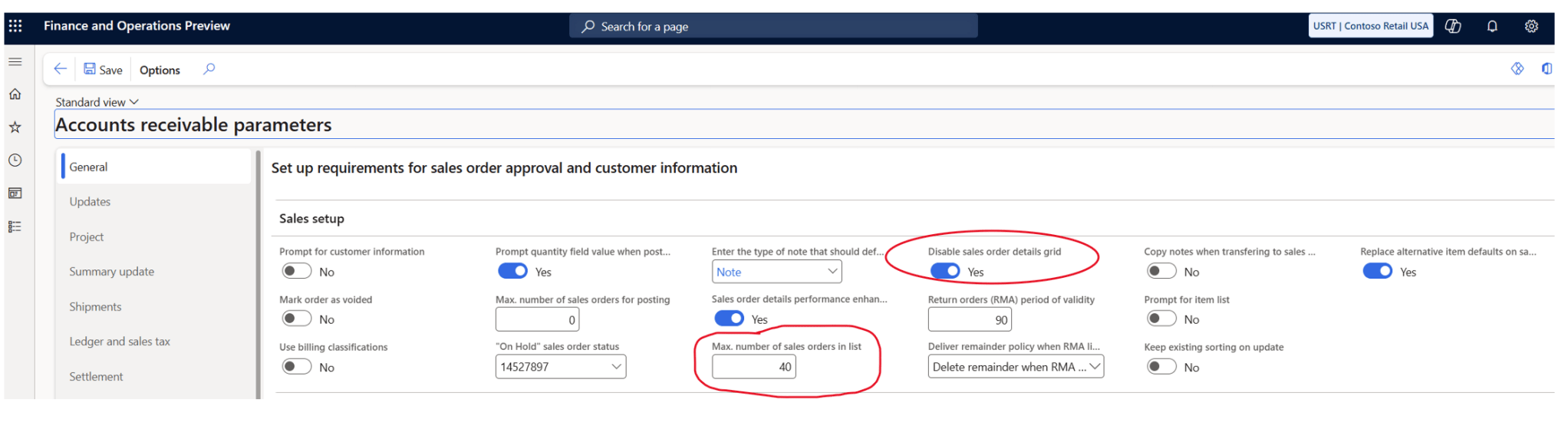
The “Max. number of sales orders in list” is maximum number of sales orders that can be displayed in the All sales orders and Sales order details pages. A value of zero disables the limit. Microsoft is recommending setting this up to 200 for optimal performance and usability.
The “Disable sales order details grid” is also a great new feature, as it removes the left side order grid
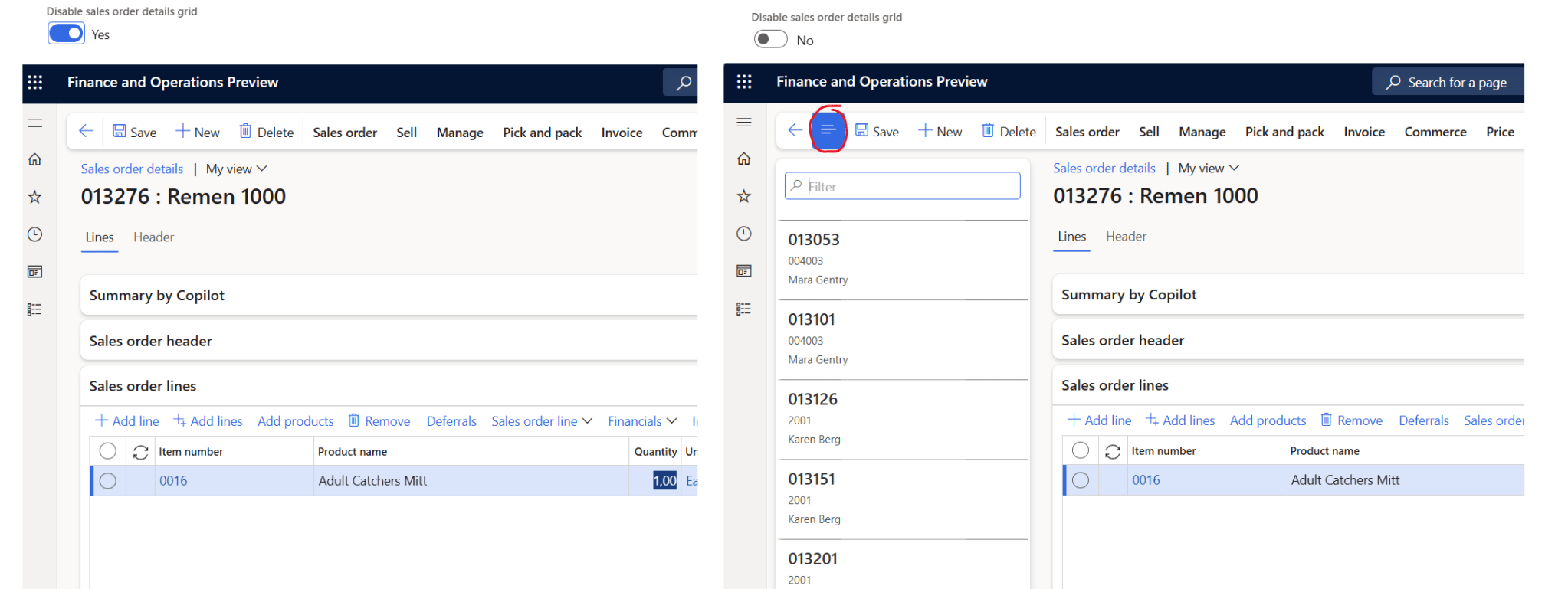
The latter have been a pain, and made the sales table screen lagging and with this improvement, the sales order screen should be easier and faster to navigate in.
There are one thing I still feel is missing, and that is that when performing a refresh “Shift-F5” I still see that delayed datasources are loaded, and this load can be slow. Especially the outerjoin towards CUSTINVOICETRANS that I see in many cases can take seconds when performing a refresh.
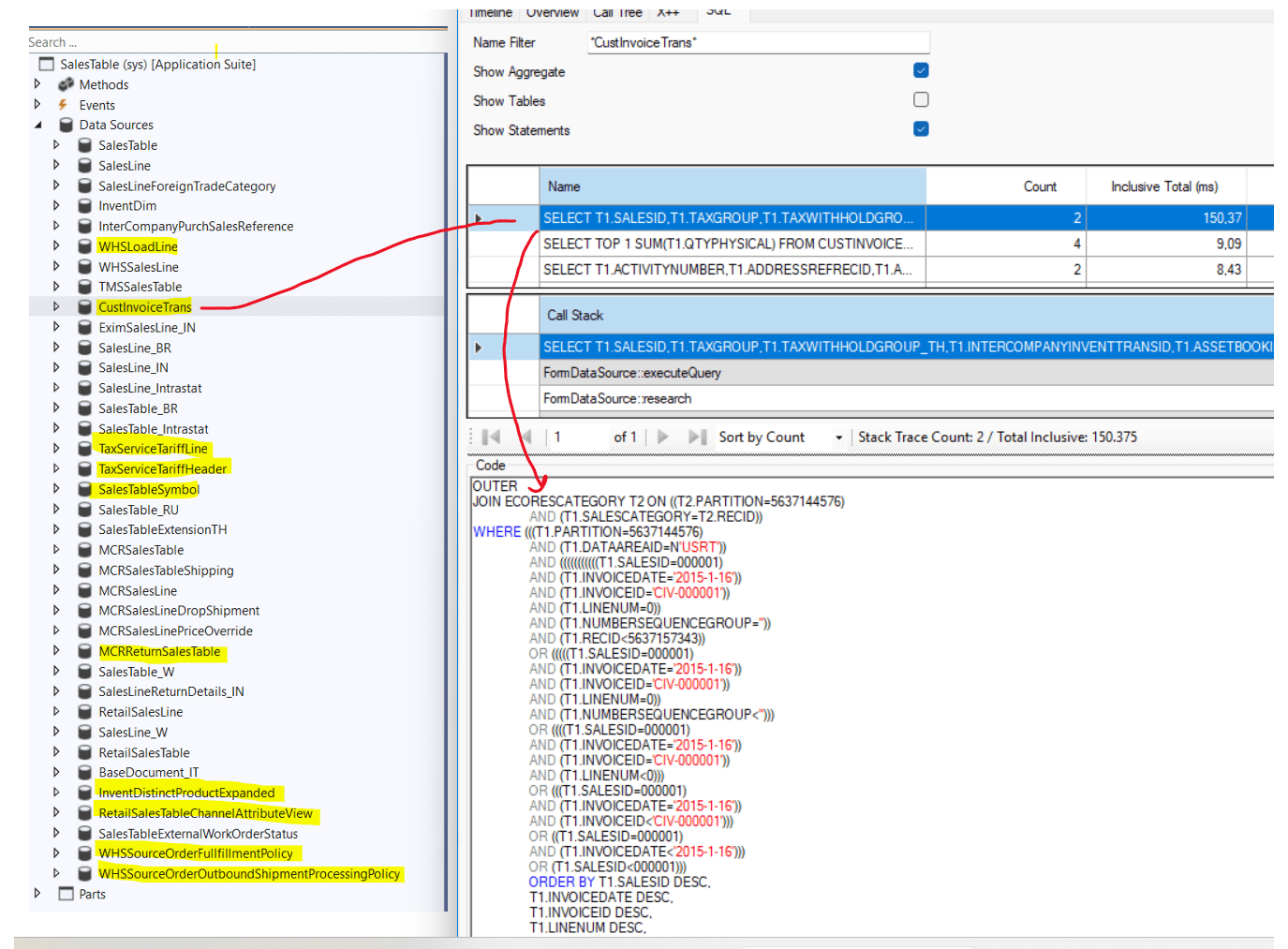
I see there is a flight named SalesTableFormExcludeCustInvoiceTransFlight, but this does not seem to have any effect when doing Shift-F5 refresh.
So… Navigating Sales order can be faster in 10.0.46 👍
 Kurt Hatlevik - Dynamics 365 Blog
[heart] Alejandro Ravenna reacted to your message: ________________________________
LikeLike