Exciting news from Microsoft has just landed a new preview feature, and it’s all about making our Dynamics 365 environment cleaner, more efficient, and compliant.
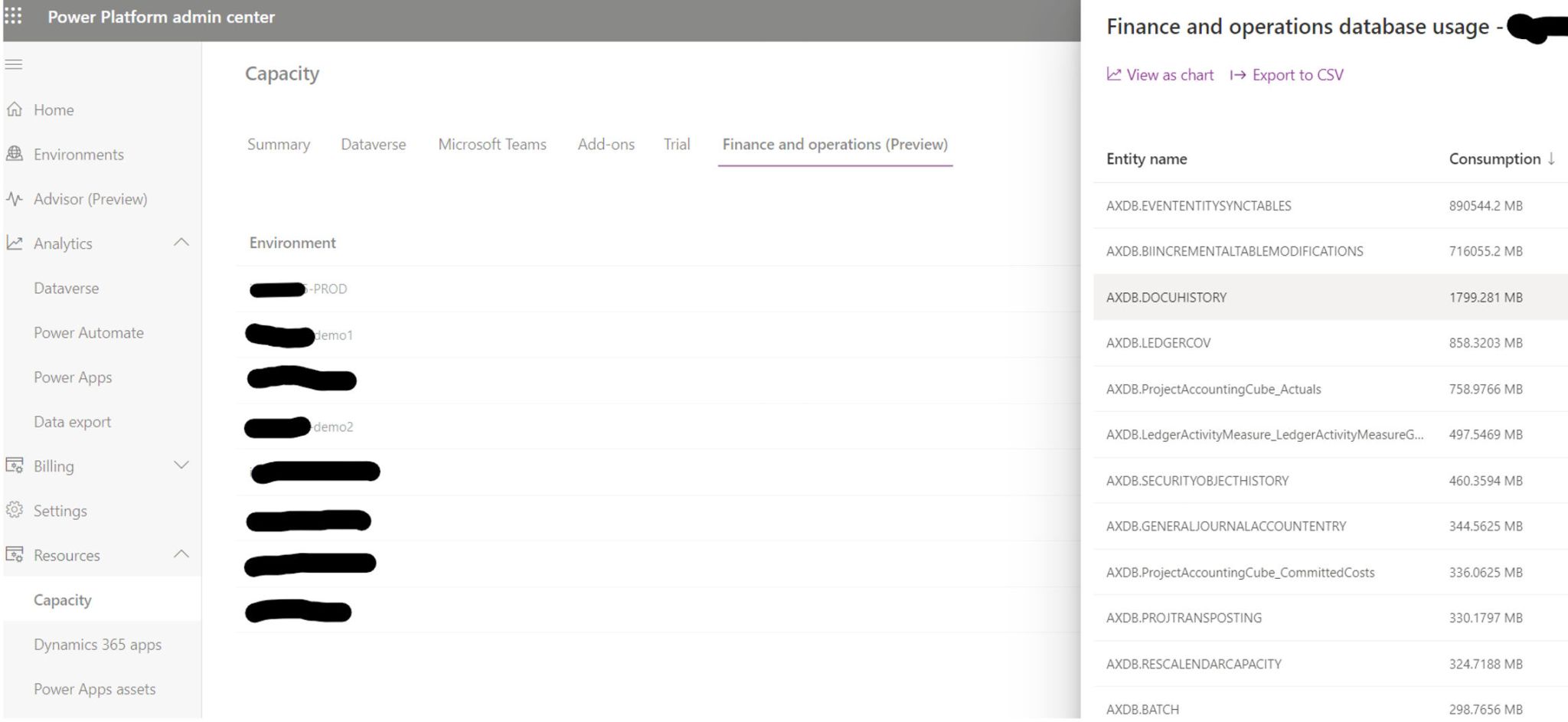
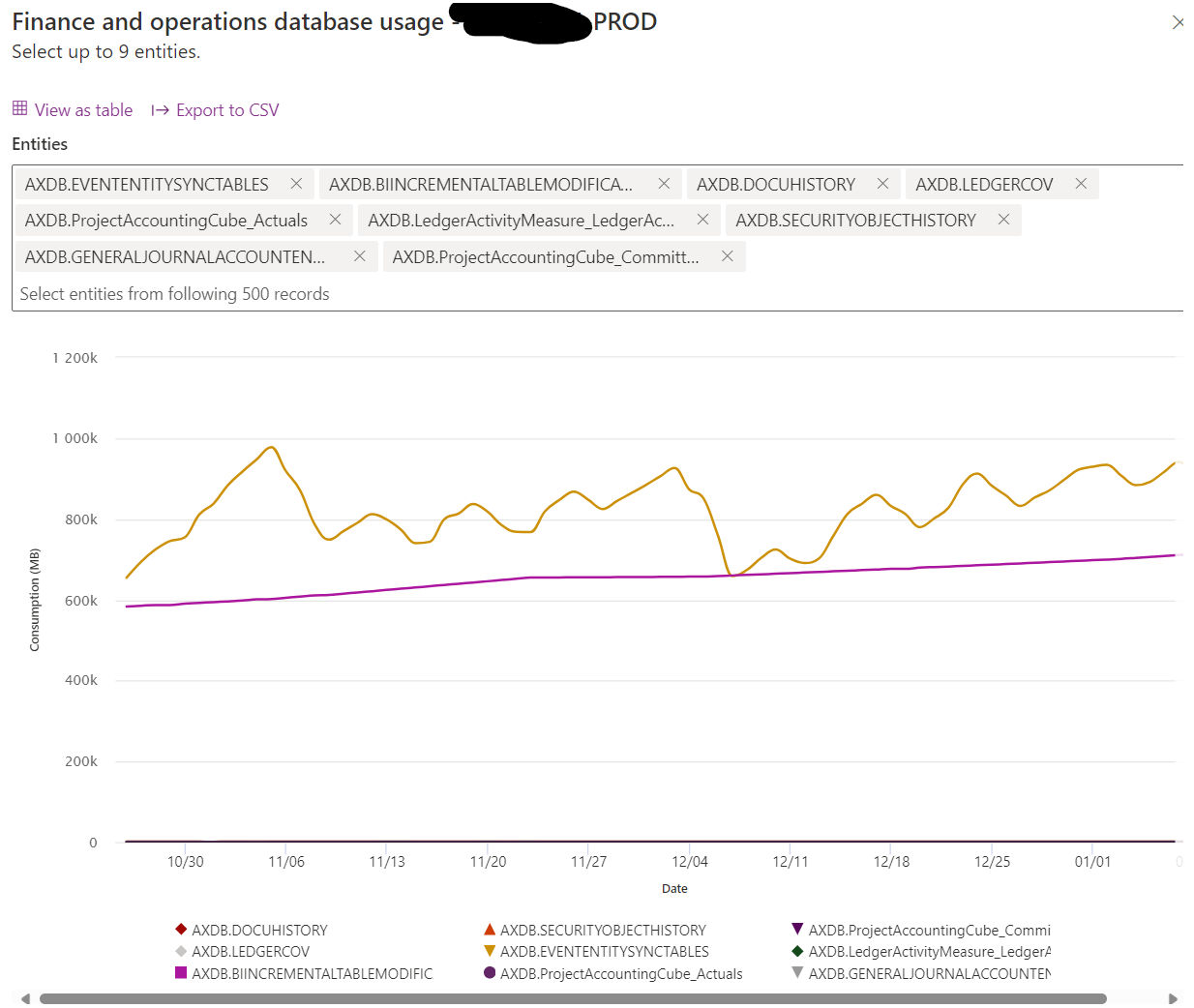
In a recent Yammer post, Microsoft announced a significant upgrade to the storage capacity experience in the Power Platform Admin Center (PPAC) for Finance and Operations. This new (preview) feature enables a deep dive into the storage consumption for each table within the Finance and Operations environment. Now, administrators can not only see the total storage used but also understand which tables are the heaviest. This level of detail was previously available only for Dataverse tables but is now extended to include Finance and Operations, bringing a new era of transparency and control.
Why is this Important?
1. Optimized Performance:
Data clutter is not just a storage issue; it can significantly impact the performance of your Dynamics 365 system. By identifying and cleaning up large, outdated, or unnecessary tables, you can streamline processes and improve overall system efficiency.
2. Cost-Effectiveness:
With the clear visibility of data storage, you can manage your resources better. Cleaning up unnecessary data can help stay within your storage capacity entitlements, avoiding additional costs.
3. Improved User Experience:
A well-maintained system with relevant, up-to-date information enhances the user experience. It makes data retrieval faster and more accurate, aiding decision-making processes.
How to Make the Most of This Feature?
- Regular Audits: Schedule regular audits of your Dynamics 365 data. Use the new feature to identify high-storage tables and assess whether the data within is current and necessary.
- Establish Data Cleanup Policies: Create policies for data retention and cleanup. Ensure these policies are in line with legal requirements and business needs.
- Involve Stakeholders: Engage with various departments to understand the relevance of data. Sometimes, what seems redundant in one context is critical in another.
- Leverage Automation: Consider automating the cleanup process where possible. For instance, set rules for archiving old records.
- Monitor and Adapt: Post-cleanup, monitor the performance improvements and storage savings. Use these insights to adapt and refine your data management strategies.
And to understand how and what to clean up, then the following post is helpful :
https://learn.microsoft.com/en-us/dynamics365/fin-ops-core/dev-itpro/sysadmin/cleanuproutines
Happy DAX’ing !
 Kurt Hatlevik - Dynamics 365 Blog
Thank you for the reminder on the cleanup jobs. Tend to forget it often.
LikeLike
Thank you. Seems awesome…
LikeLike