Within D365 SCM, the “Mode of Delivery” field plays a crucial role in specifying how goods move from you to your customers (or from your vendors to you). Despite its straightforward purpose, this field is frequently misused – often repurposed as a transportation route or itinerary scheduling tool. Putting different purposes to this field, and you will dump issues into other modules like eCommerce and Finance, causing a domino effect of issues and additional unnecessary costly extensions.
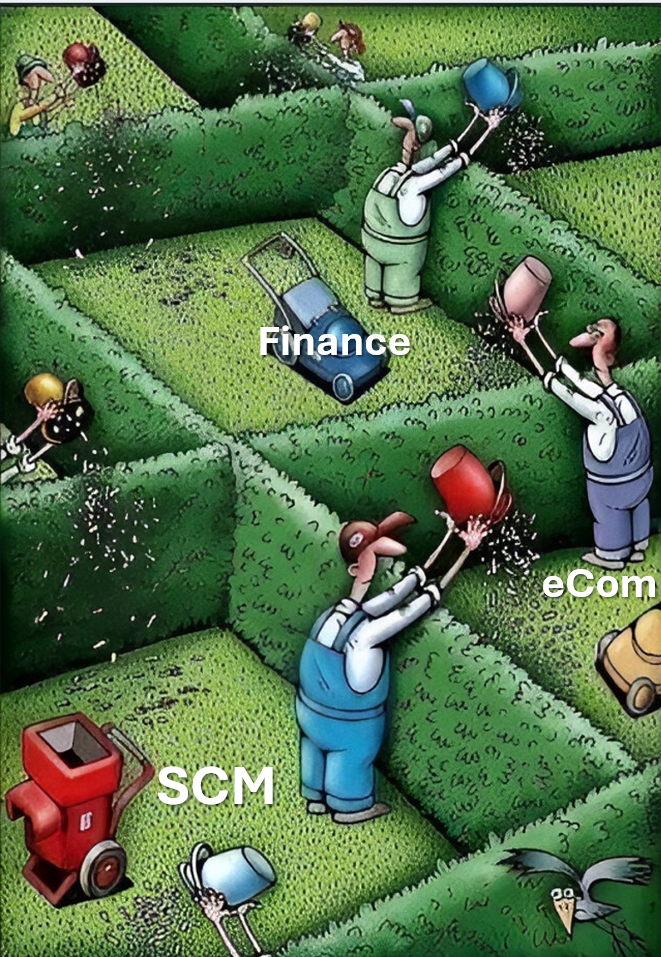
In D365 SCM, the “Mode of Delivery” identifies the method by which an order will be delivered. It can represent various shipping or pickup methods, such as:
- Standard shipping (e.g., ground shipping)
- Expedited shipping (e.g., next-day air)
- Customer pickup (e.g., in-store pickup)
The primary purpose is to classify the delivery method and link any associated charges. This field then appears in key processes like sales orders, purchase orders, and other logistics-related transactions to help provide clarity and consistency across the supply chain. Here are the most common misuses:
Using Mode of Delivery as a WMS or Route Planning Tool
Some organizations attempt to store intricate WMS and transportation routes (e.g., multi-stop trucking routes or flight itineraries) in the “Mode of Delivery” field. This creates confusion, as the system is not designed for detailed route or shipment scheduling in this specific field.
Storing Unrelated Carrier or Service Details
Another misuse occurs when teams lump specific carrier service levels (UPS Ground, FedEx Priority, etc.) or internal steps into a single “Mode of Delivery.” This leads to an overloaded setup that becomes unwieldy to maintain and doesn’t reflect the actual purpose of the field.
Overcomplicating the Setup
Some users create a large number of “modes” to capture every nuance of logistics. This approach can lead to duplication, data chaos, and confusion across departments. Especially related to the eCommerce features within Dynamics 365, where you may have to create large customizations because of the misuse of the mode of delivery purpose.
Proper Implementation
- Keep It Simple
Define each mode of delivery at a level that matches business needs—for instance, “Ground”, “Air”, “Sea”, or “Pickup.” - Associate the Mode of Delivery with Charges
If certain modes carry different shipping costs, link them to delivery charges so the system automatically applies the correct fees. This is especially related to express fees etc. - Use Transportation Management for Complex Requirements
For WMS or advanced route planning or load building, consider leveraging the Transportation Management module rather than storing those details in the “Mode of Delivery.”
While it may be tempting to store every shipping detail in the “Mode of Delivery” field, keep in mind that this field’s strength lies in identifying how products are being shipped or picked up—not in detailing where or exactly when they travel. By maintaining a clear, concise setup, you avoid confusion, enhance data integrity, and help ensure your organization’s logistics run smoothly.
When using D365 eCommerce, we see some more dramatic effects, where delivery options is calculated for each mode of delivery and for each product you have in you’re your sales basket. So if you manage to have 100 modes of deliveries and 100 products in your sales basket, the eCommerce checkout modules will perform 10.000 charge calculations.
So, keep it simple, and do not try to use mode of delivery to other purposes than it is actually meant.
 Kurt Hatlevik - Dynamics 365 Blog
Standard TMS/WMS behaviour would automatically create a mode of delivery record for each shipping carrier and shipping service combination that is created.
LikeLike
Yupp:
See TMSCarrierService.createDLVMode()
LikeLike
[like] Jorleny Rojas reacted to your message:
LikeLike